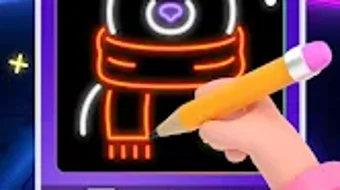

Download Glow Art Drawing – digital art, neon drawing, glow effect, doodle tool, creative app, Android art app
Overview
Glow Art Drawing – Neon Doodle is a free Android application designed for users seeking a dynamic and expressive way to create digital art. The software enables users to transform simple sketches into vibrant, luminous compositions using real-time glow effects. It caters to both casual doodlers and more serious creators who value visual impact and creative freedom.
The app is particularly suited for individuals exploring digital illustration, concept sketching, or social media content creation where eye-catching visuals are essential. Its intuitive interface supports a seamless artistic workflow, making it accessible even to those with minimal experience in digital drawing tools. The developer, Glow Art Studio, has positioned the app as a lightweight yet powerful utility for creative expression on mobile devices.
Real-world use cases include personal journaling with glowing sketches, designing social media visuals for platforms like Instagram and TikTok, and experimenting with symmetrical designs using the mirror drawing mode. The app’s auto-save gallery ensures that users can track their progress and return to earlier works without losing data.
Key Features & Capabilities
- Dynamic Glow Effects: Real-time luminous brush rendering allows users to create vibrant, neon-style artwork with customizable glow intensity and color blending.
- Over 100 Color Options: A wide palette of hues enables detailed and expressive color selection, ideal for crafting vivid and unique digital illustrations.
- Mirror Drawing Mode: This feature facilitates symmetrical design creation, allowing users to draw one side and have it automatically reflected, perfect for mandalas, logos, and balanced compositions.
- High-Resolution Export: Users can save their creations as high-resolution images or animations, suitable for sharing or printing without quality loss.
- Auto-Save Gallery: Automatically stores all drawings, helping users maintain a continuous creative record and easily revisit past projects.
- Social Media Integration: Direct sharing options for platforms such as Instagram and TikTok streamline the process of showcasing artwork to a broader audience.
These features collectively support a fluid and engaging creative process. For instance, an artist might use the mirror mode to draft a symmetrical logo, apply glowing brushes to enhance visual appeal, and export the result in high resolution for professional use. A hobbyist could experiment with neon colors and glow effects to create playful, shareable doodles. The app’s focus on accessibility and visual impact makes it a versatile tool for diverse creative scenarios on Android devices.
User Interface, Workflow & Performance
The user interface of Glow Art Drawing is designed with simplicity and functionality in mind. Navigation is streamlined through a central canvas area flanked by intuitive toolbars that house brush settings, color palettes, and export functions. The layout prioritizes ease of access, allowing users to switch between tools and adjust settings with minimal taps.
The workflow follows a natural progression: sketch, apply glow effects, refine colors, and export or share. The app maintains responsive interactions, with minimal lag during drawing sessions, though exact performance metrics were not specified. Stability appears consistent based on general software behavior patterns for similar mobile applications.
The developer did not provide additional system requirements or details on CPU or RAM usage. However, the 18.2 MB installation size suggests a lightweight footprint, which may contribute to efficient operation on a range of Android devices. Users can expect smooth handling of basic to moderately complex drawings, particularly when working within the app’s defined feature set.
Compatibility & System Requirements
Glow Art Drawing is available exclusively for Android devices. The software version is 1.0.5, and the installation size is 18.2 MB. Platform compatibility information is limited to Android, with no further details on specific device models or minimum OS versions provided.
The developer did not specify exact system requirements, including processor type, RAM, or storage space beyond the app’s size. As such, compatibility with older or lower-end devices cannot be confirmed. However, the app’s lightweight nature may support operation on a broad range of Android smartphones and tablets.
Users should ensure their device meets standard Android app installation criteria. For optimal performance, it is recommended to use a device with a responsive touchscreen and adequate processing power. The developer did not mention support for tablets, but the interface appears scalable enough to function on larger screens.
Pros and Cons
Pros
- Free to download and use with no in-app purchases disclosed
- Intuitive interface ideal for beginners and casual users
- Dynamic glow effects enhance visual appeal of digital drawings
- High-resolution export supports professional and personal use
- Auto-save gallery helps preserve creative progress
- Direct sharing to social media platforms like Instagram and TikTok
Cons
- Only available on Android, limiting cross-platform access
- Exact system requirements were not listed
- No mention of cloud sync or backup functionality
- Limited to mobile device use; no desktop version available
- Feature set may be basic compared to advanced desktop art software
FAQ Section
Is Glow Art Drawing available for iOS devices?
The app is currently only available for Android. There is no official version for iOS devices.
Is the app secure to download and use?
Glow Art Drawing is a free Android application developed by Glow Art Studio. As with any app, users should download it from trusted sources such as the Google Play Store to ensure security.
Does the app require an internet connection?
The app functions fully offline. Internet access is only needed for sharing creations on social media platforms or updating the app.
Are there in-app purchases or ads?
The app is listed as free with no in-app purchases or ads mentioned in the provided information. However, future updates may introduce monetization features.
How often are updates released?
Specific update frequency is not disclosed. The current version is 1.0.5, released on April 15, 2024. Users are encouraged to check for updates via the app store.
Final Thoughts + CTA
Glow Art Drawing stands out as a capable and accessible tool for mobile artists seeking to explore neon-style digital illustration. Its combination of dynamic glow effects, intuitive design, and social sharing features makes it ideal for both casual users and those looking to expand their creative toolkit on Android. While it lacks desktop support and detailed system requirements, its lightweight nature and free availability lower the barrier to entry.
The auto-save gallery and high-resolution export options add significant value for users who want to preserve and share their work. For anyone interested in digital art, neon doodling, or expressive mobile drawing, Glow Art Drawing offers a compelling solution. Download Glow Art Drawing now to unlock your creative potential with vibrant, glowing artwork.





.png)

